



5 Best AI Rap Video Generators in 2026: Pick by Workflow
Compare 5 AI rap video generators for photo performances, your own song, duets and music videos. See inputs, free-preview limits and which workflow fits.
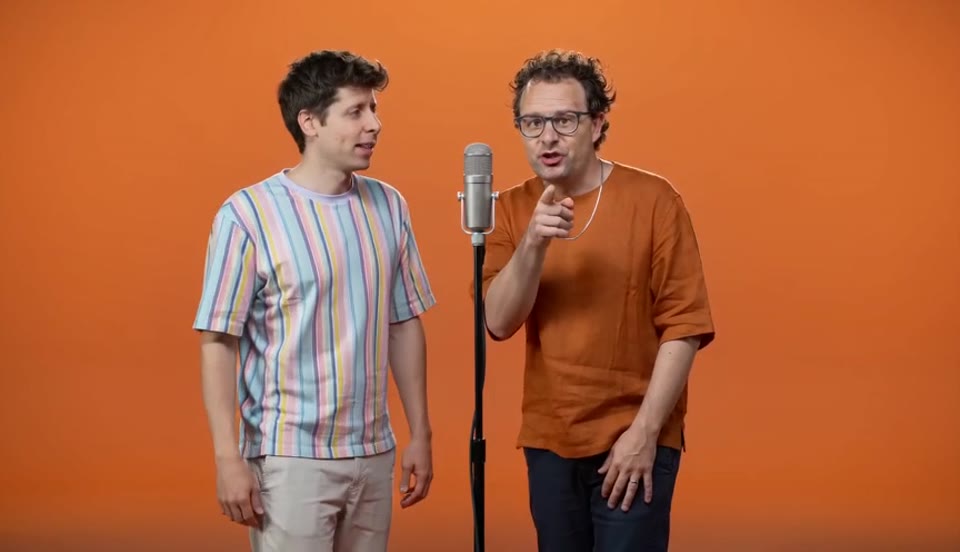
Related caseStudio duo
The best AI rap video generator depends on what you already have. Start with Rap AI Video for a short performance guided by a scene or template, TuneArt for a photo performing your own track, RapVideo.ai for a Hotel Lobby duo with audio choices, AI Rapper for a topic and lyric preview, or freebeat for a music-first video project.
Disclosure: this guide is published by the team behind Rap AI Video, which is included below. These are editorial picks by workflow, based on public product pages checked on November 11, 2026 and our own product's current settings. We did not run a paid, side-by-side quality benchmark. The order follows the use cases above; it is not a measured quality ranking.
Jump to comparison, the five picks, how to choose or FAQ.
Best AI rap video generators in 2026 at a glance
| Tool | Start with | Best fit in this guide |
|---|---|---|
| 1. Rap AI Video | 1 or 2 photos and a scene | Short template or original performances |
| 2. TuneArt | A photo and a track | Bring your own rap |
| 3. RapVideo.ai | Duo photos and an audio choice | Hotel Lobby duets |
| 4. AI Rapper | A topic and a photo | Read the lyrics before rendering |
| 5. freebeat | Music or a track link | Build visuals around a song |
The useful distinction is generating a new performance versus making visuals for an existing recording. A tool can do the first well without accepting your song. Check that distinction before comparing prices.
The five picks
1. Rap AI Video — for short scenes and template performances
Rap AI Video at rapaivideo.io turns one photo for a solo, or two separate photos for a duo, into a 5, 10 or 15 second video with audio, at 480p or 720p (10 and 15 seconds). You can write an original performance prompt or start from a reference template such as Hotel Lobby. Landscape, portrait and square framing are available.
Its useful starting point is the published case library: the studio duo case shows both reference photos, the prompt and the generated result. You can inspect the setup, load it into the studio and replace the photos. For a solo, compare the mansion walk case.
Sample versus full version: each signed-in account gets one 5-second sample, shared across the site, free or as a low-cost Trial depending on the current offer. After purchase, return to the studio to generate a new 10- or 15-second version; visuals and audio may differ. Start within seven days while the sample and reference photos are available. Starter is currently US$6.99 for 10 credits, purchased once; see current plans. A 15-second 480p full version of your free sample uses those 10 credits.
Main limit: there is no song or voice upload. Use it when you want a newly generated short performance. It does not promise exact lyrics, a named artist's voice, identical template choreography or precise synchronization to a recording you already have. Download unlocked results within 7 days of completion.
2. TuneArt — for a photo performing your own rap
TuneArt's rap-video page accepts a photo and a track, with audio upload and Suno-link options. It advertises a free first video with a watermark. This is a useful route when the recording already exists. Check the current credit cost and export terms before generating; we have not independently measured its lip-sync accuracy.
3. RapVideo.ai — for a Hotel Lobby duo with audio choices
RapVideo.ai centers on two-person performances, accepting separate portraits or one shared photo. Its page offers the Hotel Lobby track, your own song or typed words. Choose it when a duo and audio selection are central. Confirm the selected mode, duration and credit charge in the generator before rendering.
4. AI Rapper — for checking the words first
AI Rapper at airapper.ai starts from a topic and a photo. You can preview lyrics free before paying for the video. That workflow suits a short personalized verse when the words matter early. A lyric preview is not a free finished video; inspect the video settings and price separately.
5. freebeat — for building a music video around a song
freebeat starts with uploaded music or a track link, then offers story, performance and lyric-video workflows. Consider it when you want to plan visuals around a song rather than a single photo gag. Review its current plan and project limits before committing to a longer video.
How to choose without buying the wrong workflow
Choose by the asset you want to preserve:
- The recording: use a tool that accepts your audio. Ask whether it animates a visible performer, makes background visuals, or does both.
- The idea: start with a scene-led or topic-led generator. Keep the brief to one setting, one action and one short message.
- The exact words: inspect the lyric controls before paying. A prompt mentioning a sentence does not guarantee that every word will be delivered correctly.
- Two recognizable people: check whether the tool needs two separate portraits or accepts a shared photo. These inputs are not interchangeable across products.
Use the following comparison brief when you try tools yourself. Keep the portrait, framing and idea consistent where the tools allow it:
One adult performer in a warm studio, facing the camera. A steady medium shot with a slow push-in. Relaxed hand gestures and one continuous performance. Original upbeat rap vocals with bass and drums. No scene changes or on-screen text.
That is a starting brief, not a test result. For an audio-upload tool, use the same recording you own and choose the same passage. For a tool that generates its own audio, judge whether the mood fits the brief rather than expecting it to reproduce that recording.
Before a larger purchase, inspect the face, hands, mouth movement, words, sound and crop in the preview. Write down the amount you must actually pay to download one usable result. Include the minimum pack purchase and any retries you choose to make, rather than treating unlike credit systems as equivalent.
FAQ
What is an AI rap video generator?
It is a tool that creates a rap-style performance video or makes visuals for rap audio. Some start with a portrait and generate the performance and sound together; others need an existing track. Check the required input first, because the same label covers different workflows.
Which option should I choose for two people?
For Rap AI Video, start from Hotel Lobby or the studio duo case and upload two separate photos. RapVideo.ai also offers a duo workflow. Choose between them by whether you want a scene-led performance or the audio choices described on its product page.
Can I upload my own song to Rap AI Video?
No. Rap AI Video generates audio as part of the result and does not accept song or voice uploads. If preserving a recording is essential, inspect the audio-led tools above. Our guide to making a rap song with AI explains what our short-video workflow can do.
Does a free preview include the download?
Not necessarily. On Rap AI Video, you can generate a 5-second sample (free or a low-cost Trial depending on the current offer), then purchase to generate a new full version; visuals and audio may differ. Other tools may offer a watermarked video, a lyric preview or a different trial. Read what is included before treating an offer as a free export.
What should I check before sharing?
Use photos and recordings you have permission to use. Review the generated words, likeness and audio, and check the publishing platform's current AI-labeling requirements. A generator's template does not by itself establish permission to reuse a third-party song or imply an artist's endorsement.
For a scene-led first attempt, open the studio duo example, compare the inputs with the result, then choose Use this prompt and add your own photos.