



Mansion Walk Rap Video Generator
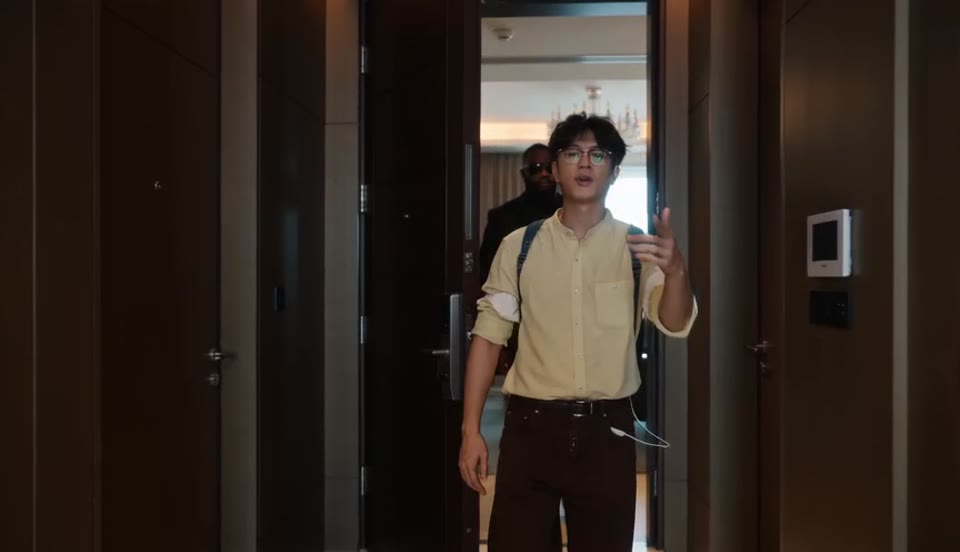
One photo became a 15-second mansion rap video in 16:9 at 480p, with generated audio. See the reference, hallway-to-staircase camera move and exact prompt.
- References
- 1 photo
- Duration
- 15s
- Frame
- 16:9 · 480p
- Sound
- Generated audio
Which reference photo was used?
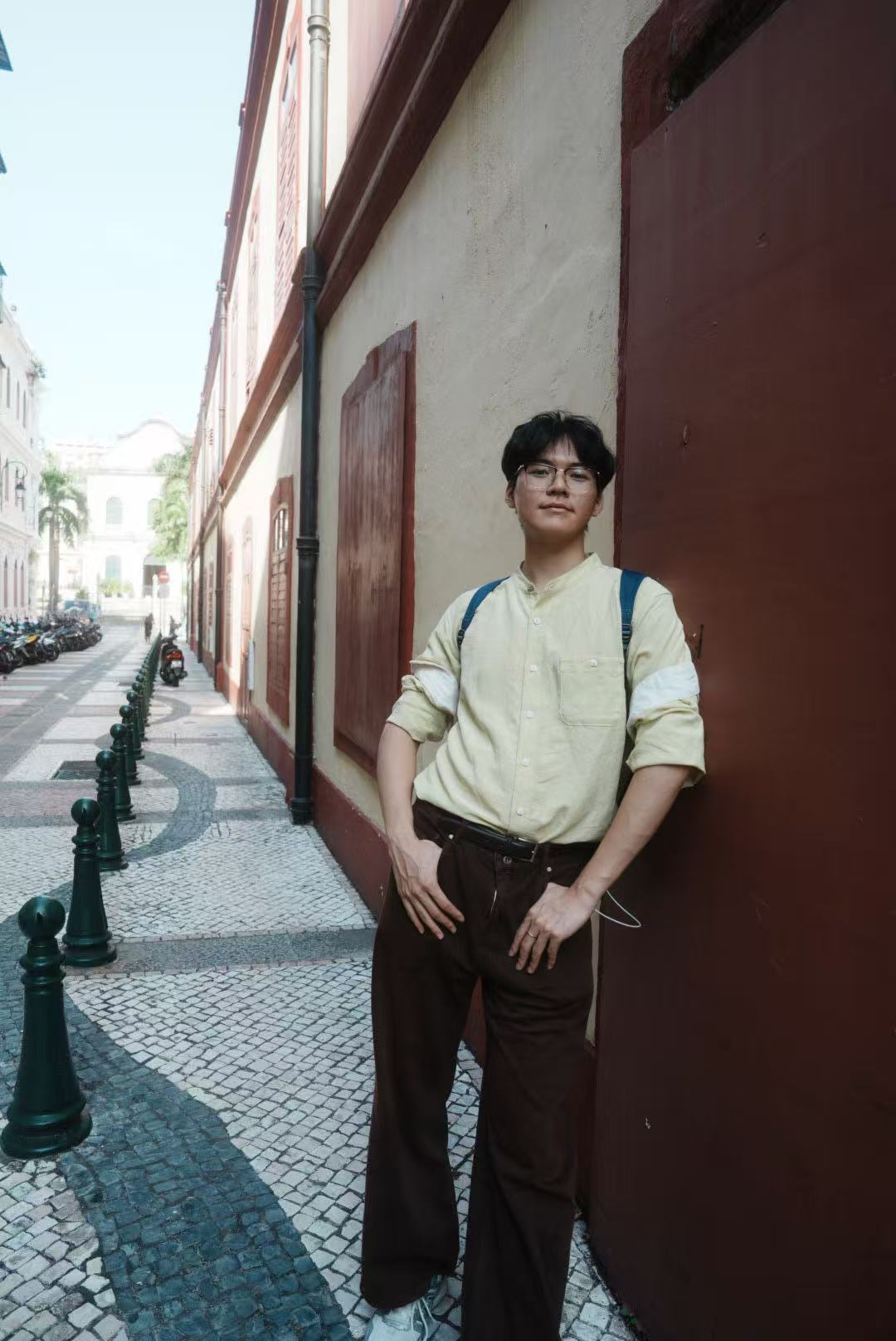
One photo defines the lead performer. The prompt asks to keep their face, hair, build, clothes and accessories, while a generated bodyguard follows behind.
What prompt generated this rap video?
The prompt plans one continuous route: doorway, corridor, then glass staircase. It describes a camera backing away with the performer and a gradual change from warm interior light to daylight.
Create a 15-second mansion rap walk. Image 1 is the only lead; preserve face, hairstyle and build. Keep the clothing and accessories from the uploaded photo. A tall bodyguard follows half a step behind without replacing the lead. Move from a warm wood-paneled corridor to a bright glass staircase with floor-to-ceiling windows, glass rails and green trees outside. Start beside a doorway, walking toward the camera and rapping with relaxed confidence. Continue forward, point ahead and open both arms as shoulders and steps bounce to the beat; the guard follows. Near the end, turn toward the stairs, rest a hand on the rail, look down and keep rapping. Smooth backward waist-up tracking ends with a slight downward side angle, as one continuous walk. Natural exposure from dim interior to daylight. Keep identity, clothing, jewelry and spatial relationships consistent; no other rooms or stages. Original pop-rap vocals and punchy drums; no source song, artist voice, footage, subtitles or logos.English prompt
How do I make my own version?
Reuse the prompt and settings, add your own photos, then edit the scene in these 3 steps.
Choose your lead
Upload one clear photo you have permission to use. Keep the prompt’s instruction to follow the clothing and accessories in your own image.
Plan one connected route
Keep the hallway and staircase connected. If you change the location, describe where the walk starts, where it ends and how the camera follows.
Give the background a role
The bodyguard stays half a step behind. Preserve that spacing or remove the character from the prompt to keep the lead in focus.
Create your rap video.
Load a scene and its settings, then add your own photos and edit the prompt.
Questions about this AI video
Will using this prompt recreate the same video?
No. The same prompt creates a new result each time. Your photos guide the performers, but faces, movement, timing and audio can vary. Loading this prompt copies its text and video settings; it does not attach the example’s photos.
Do I need a second photo for the bodyguard?
No. This example used one reference photo for the lead. The bodyguard is described in the prompt and generated as a supporting character, so their appearance is not tied to a second reference.